Free desktop beta · Windows and Linux x64
OutilsIA Local Cockpit
Find a local AI model that fits your PC. Test what actually runs before buying more hardware.
Public 0.1.1-beta · build 20260928000500. The app interface is currently in French. No macOS or ARM64 package in this release.
Check your PC
See detected CPU, RAM, GPU and runtime information. Compatibility suggestions are estimates, not measured speed.
Run a real test
Select a local model, review the operation and start a benchmark. Loading, generation and GPU placement are separate observations.
Keep the result
Generate a report, inspect the limits and decide what to try next. Buying nothing is a valid outcome.
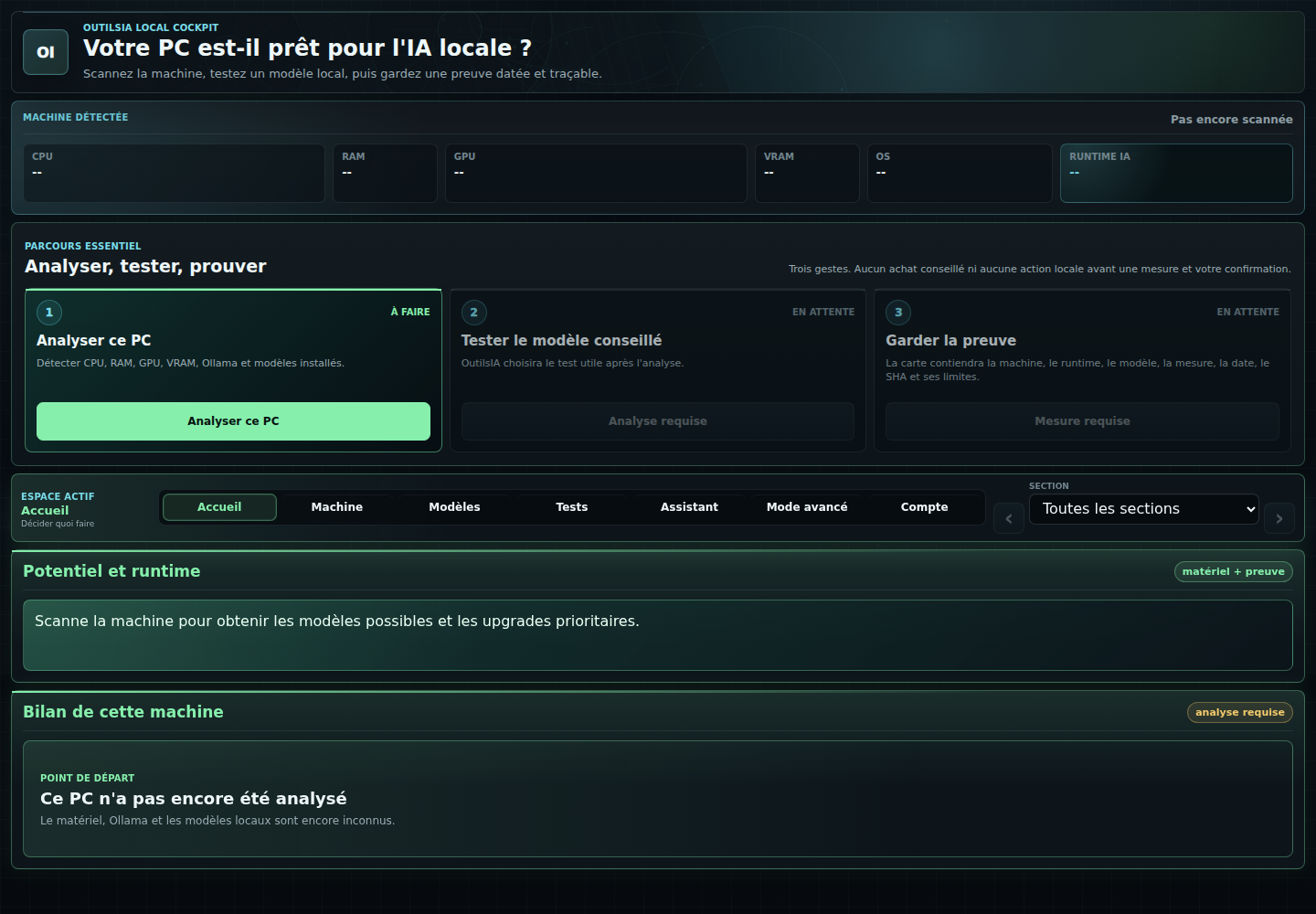
Your first run
- Download and check the fileUse the matching SHA-256 below and the release manifest. The Windows executables are not Authenticode-signed. A matching hash checks file integrity; it does not certify that software is harmless or remove SmartScreen warnings.
- Open Cockpit and scanUse « Analyser ce PC ». Review the detected hardware and runtime. The website and public MCP cannot scan your computer.
- Test a model you already haveIn « Tests », check the exact installed model and the operation before confirming. If no model is installed, review any proposed download separately. Do not bypass your system's protections.
- Read your own measurementA failed or cancelled test is not a speed result. Keep your report locally; any sharing is a separate choice.
Follow a fixed benchmark recipe or troubleshoot local AI (French).
Download 0.1.1-beta
File names, build and hashes below come from the same release manifest as the French download page.
353f68799d40d8129c7b586acd58542a0f334d3a7992e33dbcbbfb3e8a2f8968e55d00ea2c4ee965bddd4a6e1868d8c3d013526d80e4d2a5c4fd301c19fbfd2d2a275488c9e7175512b55a45467f051877b0b854f8883c7a421a1a38be218e008841d200354b8b61f761284bb6b3acd85963d631b38617e90806239d4a349fe2a1d1d3ad2fc9294a075850d415f815b3f21a8fa9f149cd7b83723792e379808bRelease manifest (JSON) · File verifier (French) · Known issues (French)
What this beta does not prove
The public evidence highlighted by OutilsIA comes from one physical RTX 4080 SUPER machine. It is not validation across every GPU, laptop or shared-memory PC. Linux packages are available; a complete external Linux user journey remains to be qualified.
Hermes 3 is a model. Hermes Agent is a separate runtime. Listing a model in the catalogue does not mean it can run locally: DeepSeek V4.1 Flash is a non-actionable watchlist entry, not a local installation promise.
The core scan, first benchmark and simple report are free. Founder checkout is closed. This page does not sell a licence or a subscription.
Help test another PC
We need independent Windows or Linux x64 tests, including PCs with 64, 96 or 128 GB of shared CPU/GPU memory. Start with a modest model, not an unverified huge download. The current kit does not cover Apple Silicon.
Prepare a private, redacted test report. Participation and publication are separate choices. No external result is counted before it has actually been run and reviewed.